
What is a template?
A checklist template is a list of predefined tasks used to manage an organization's internal procedures. From the template, checklists can be launched each time a procedure needs to be carried out. To create a checklist template, please consult the following article: Creating a checklist template.
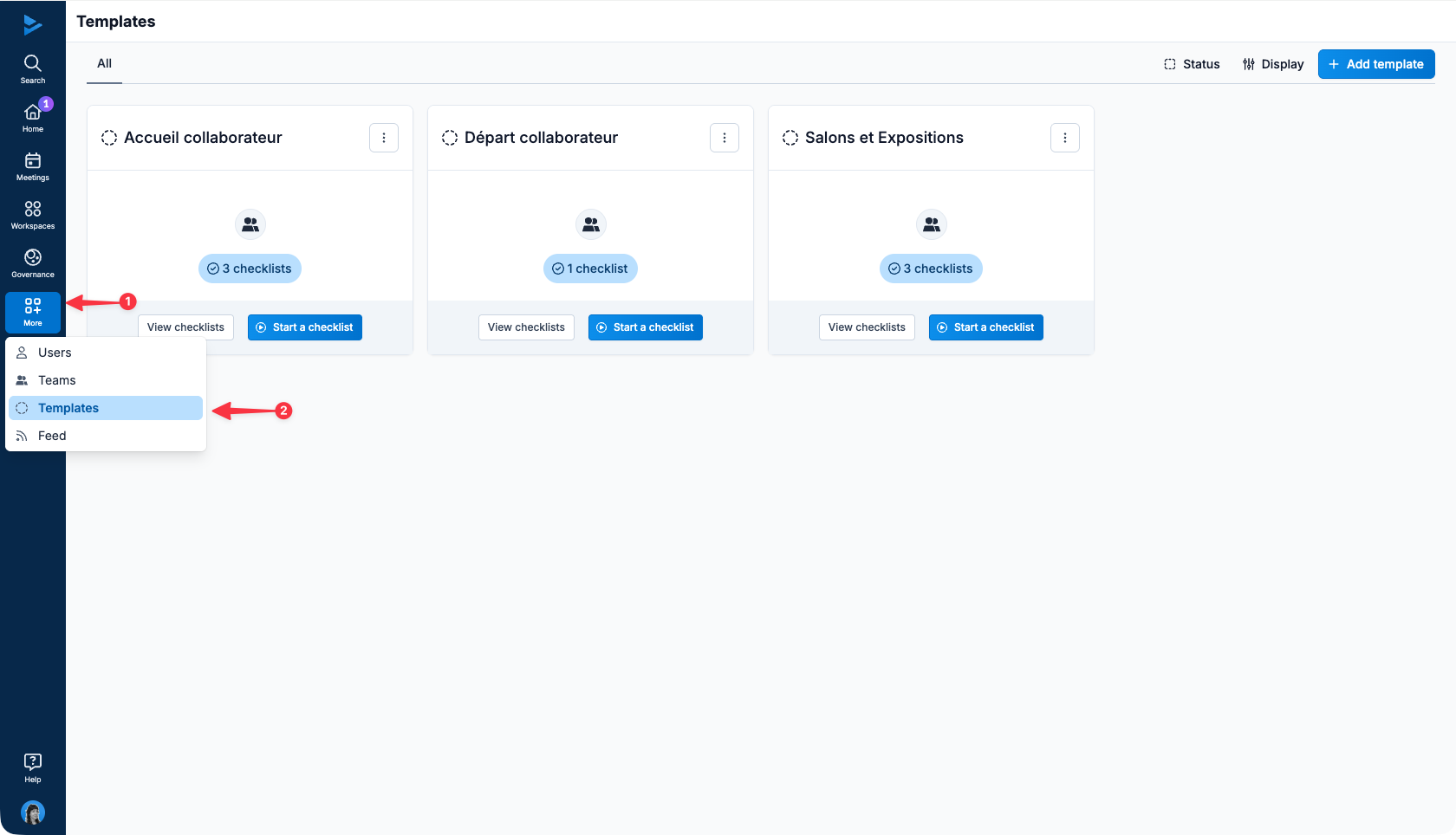
Click on More, Templates to view the checklist templates of which you are a member:
View the procedure through a task template :
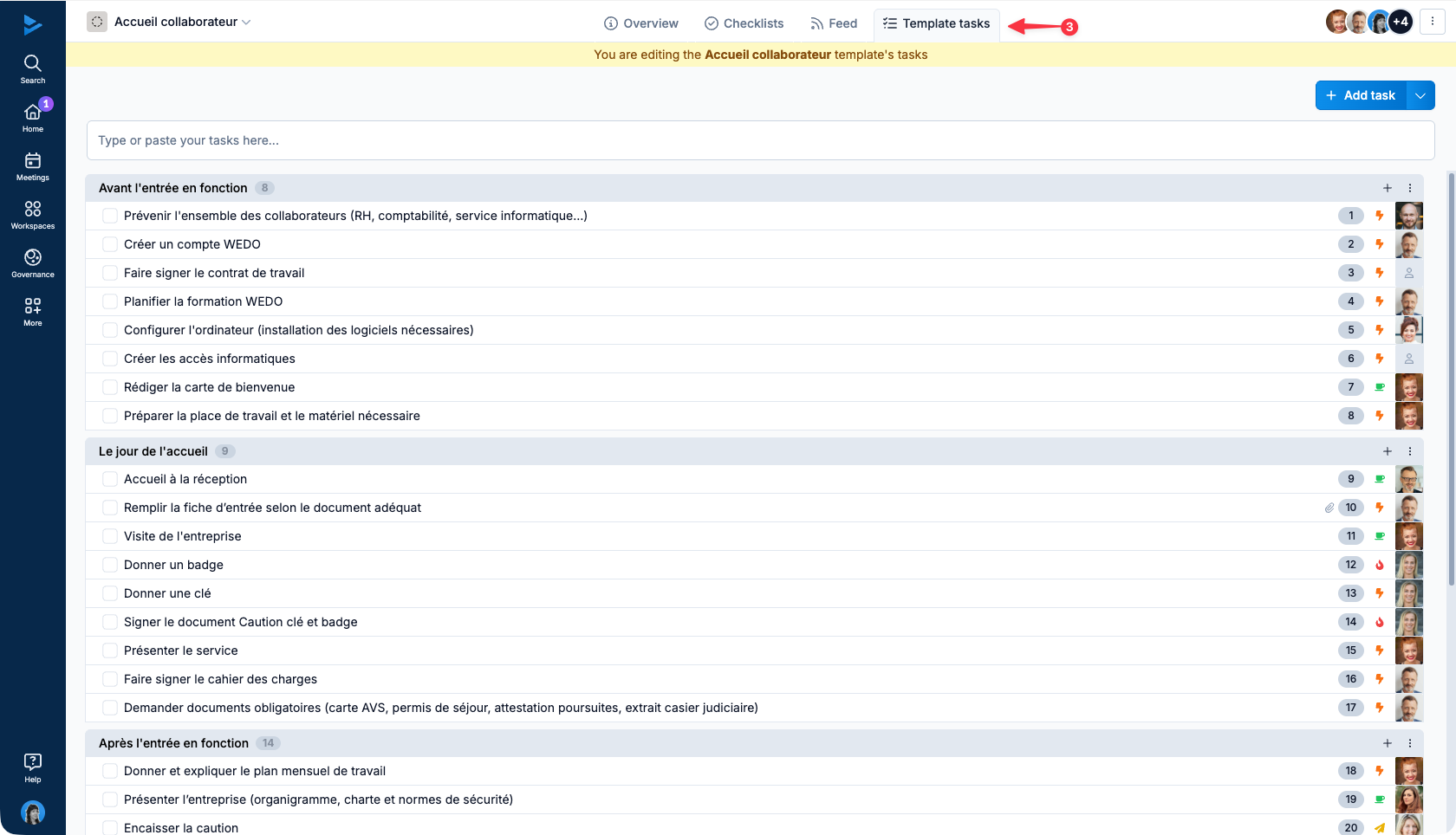
Go to the template
Click on the template tasks tab
ℹ️ A yellow banner informs you that you are viewing the template's tasks. Any changes you make will have an impact on future checklists.
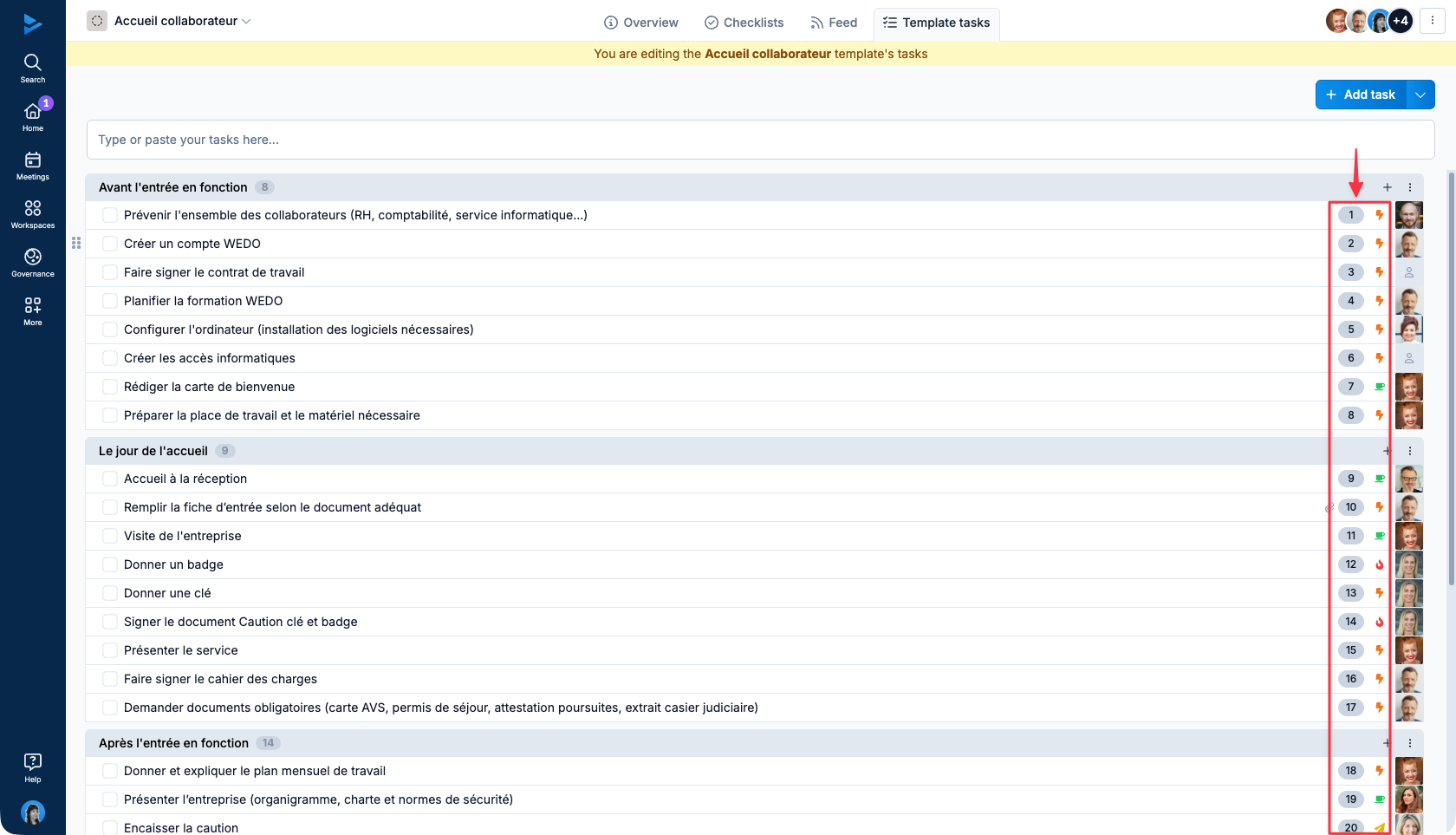
The tasks in a checklist template are numbered to keep the order of the procedure in mind.
What is a checklist?
A checklist is a list of tasks launched from a template representing a typical procedure. A template usually contains several checklists that represent all the times the procedure has been performed. To launch a checklist, please refer to the following article: Launching a checklist.
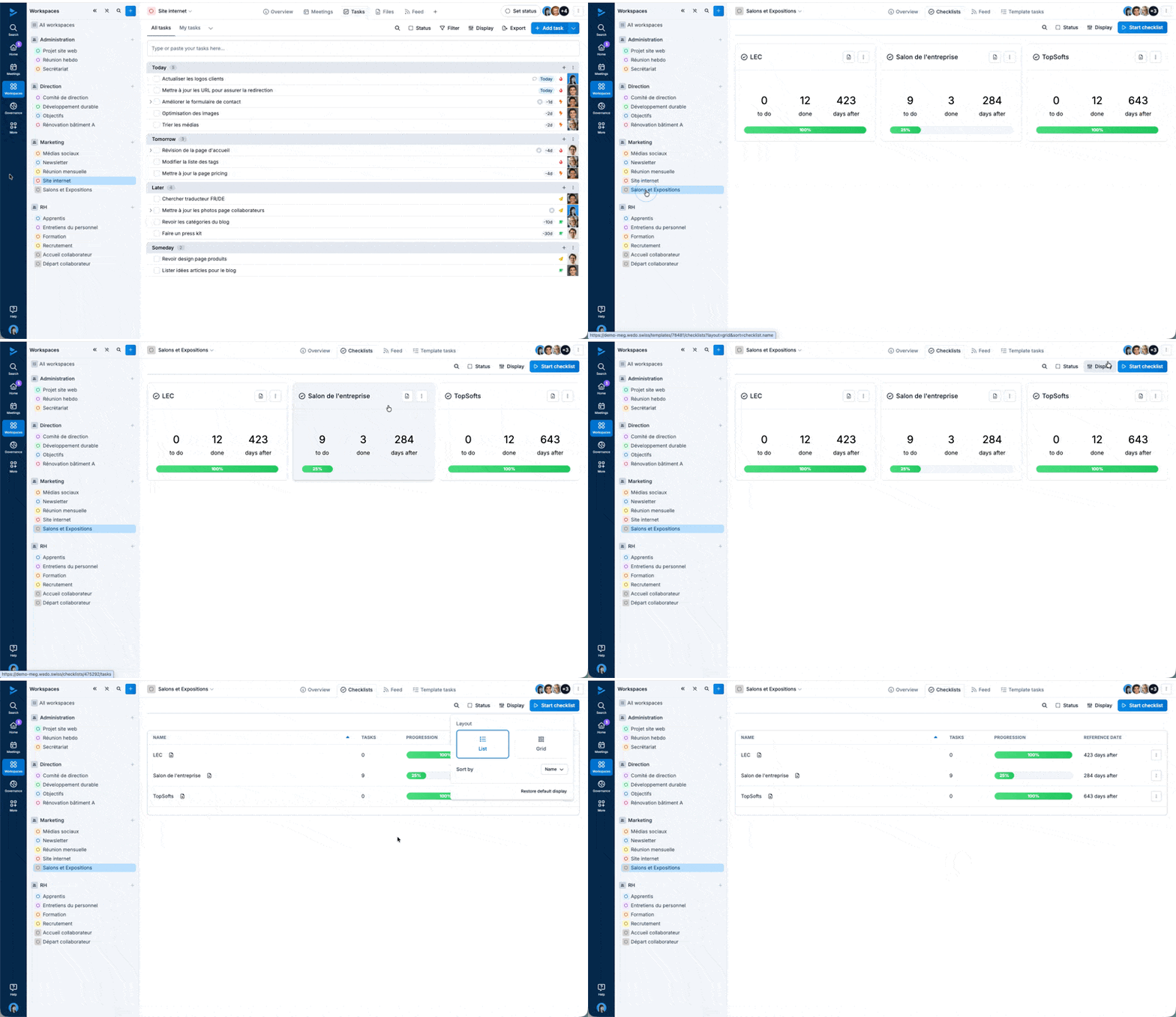
To access a template's checklists, go to the template in progress. By default, launched checklists appear in Grid view as cards. You can also display them in List view:
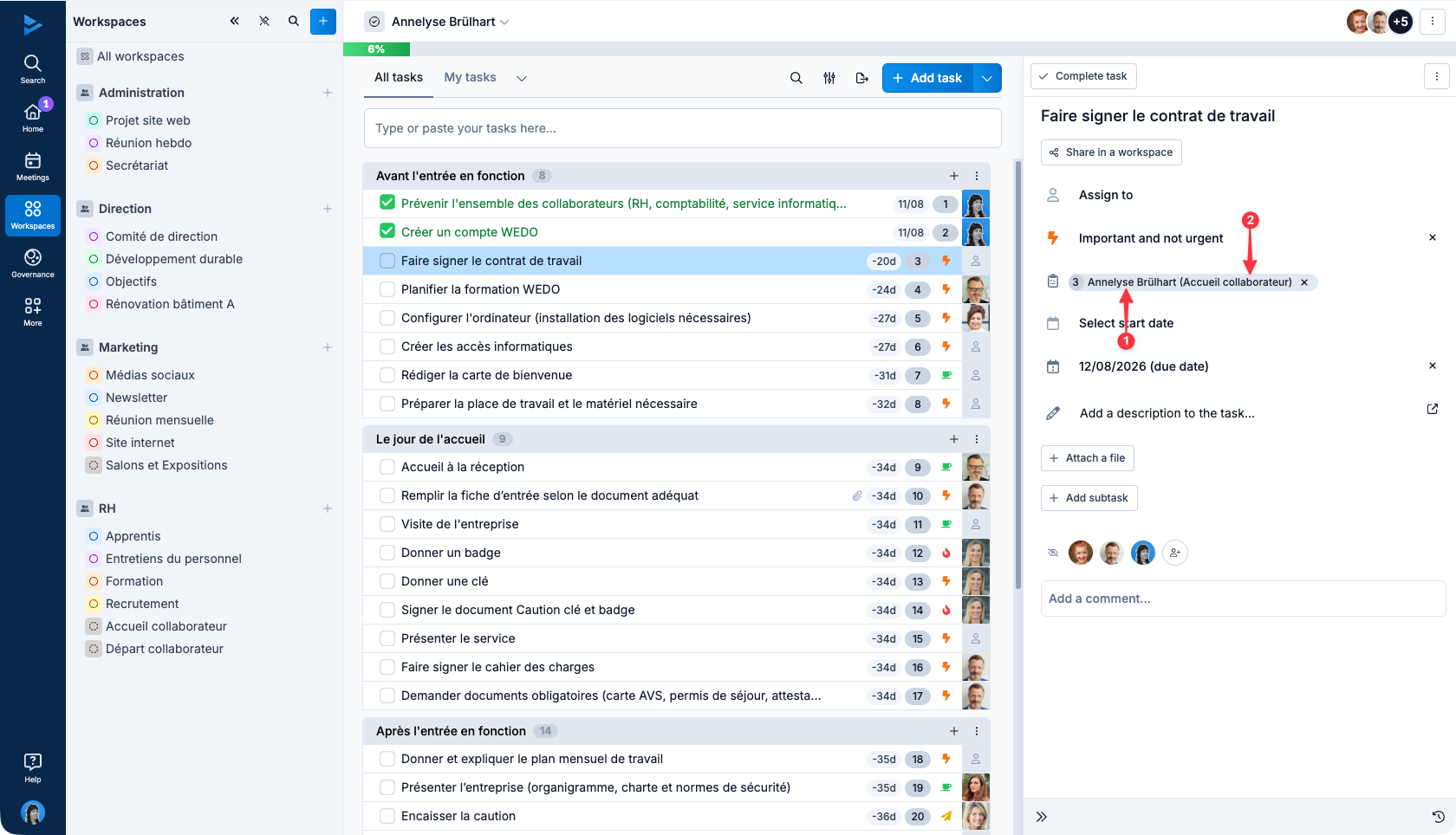
A checklist contains the tasks of its template. You can identify tasks from checklists by the name of the checklist (1) and template (2), which appear in the task details panel.
Info: these two features are therefore linked, to launch checklists you must first create a template.
