
In WEDO, you can "rule" on a topic; this feature simply allows you, during a meeting, to define whether or not a topic should be revisited in a future meeting.
But what happens if I didn't resolve the topics during my meeting?
In such case, here is how to proceed:
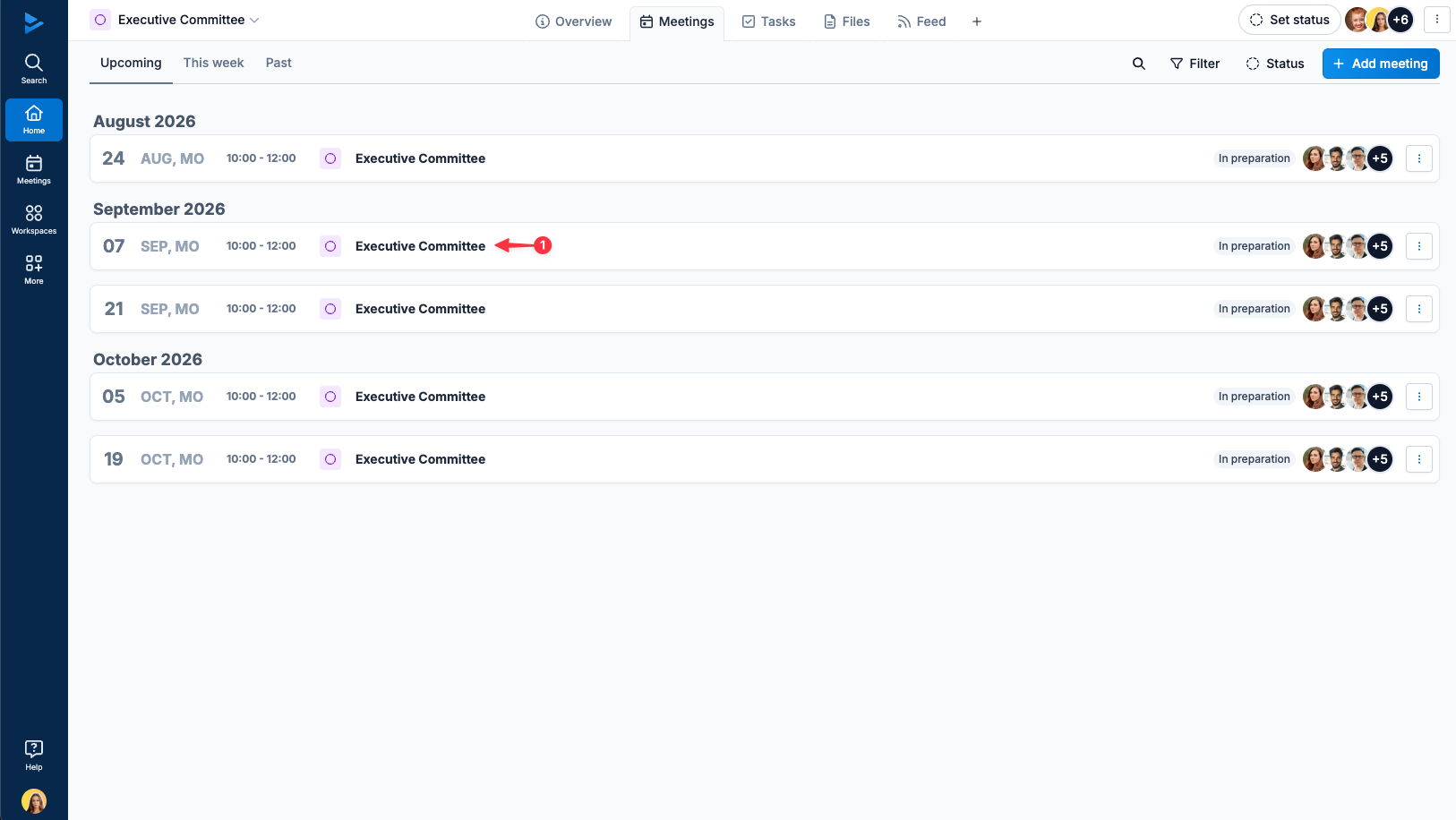
Open the meeting into which you want to import your topics
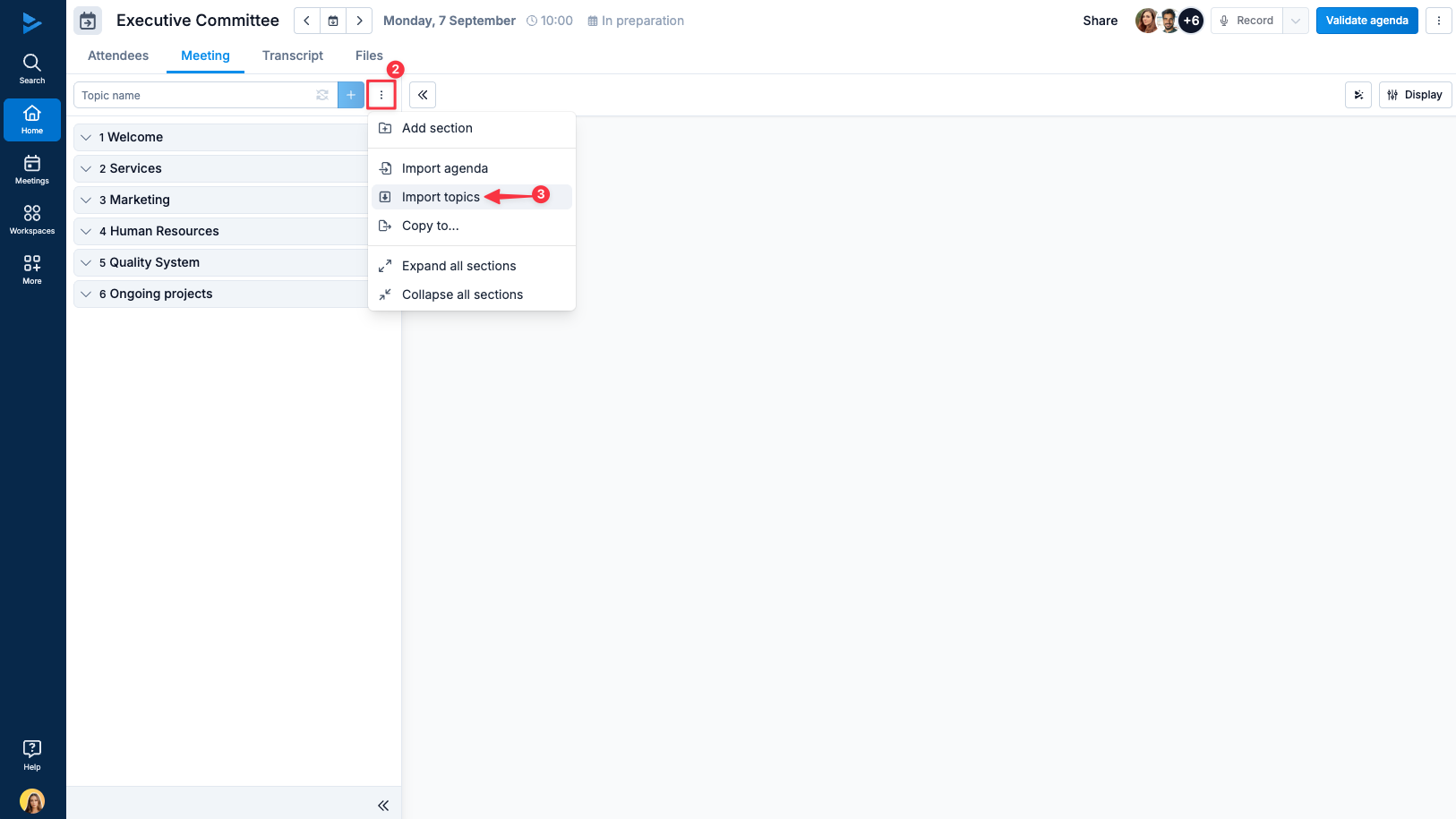
Click on the agenda menu
Select "Import past topics"
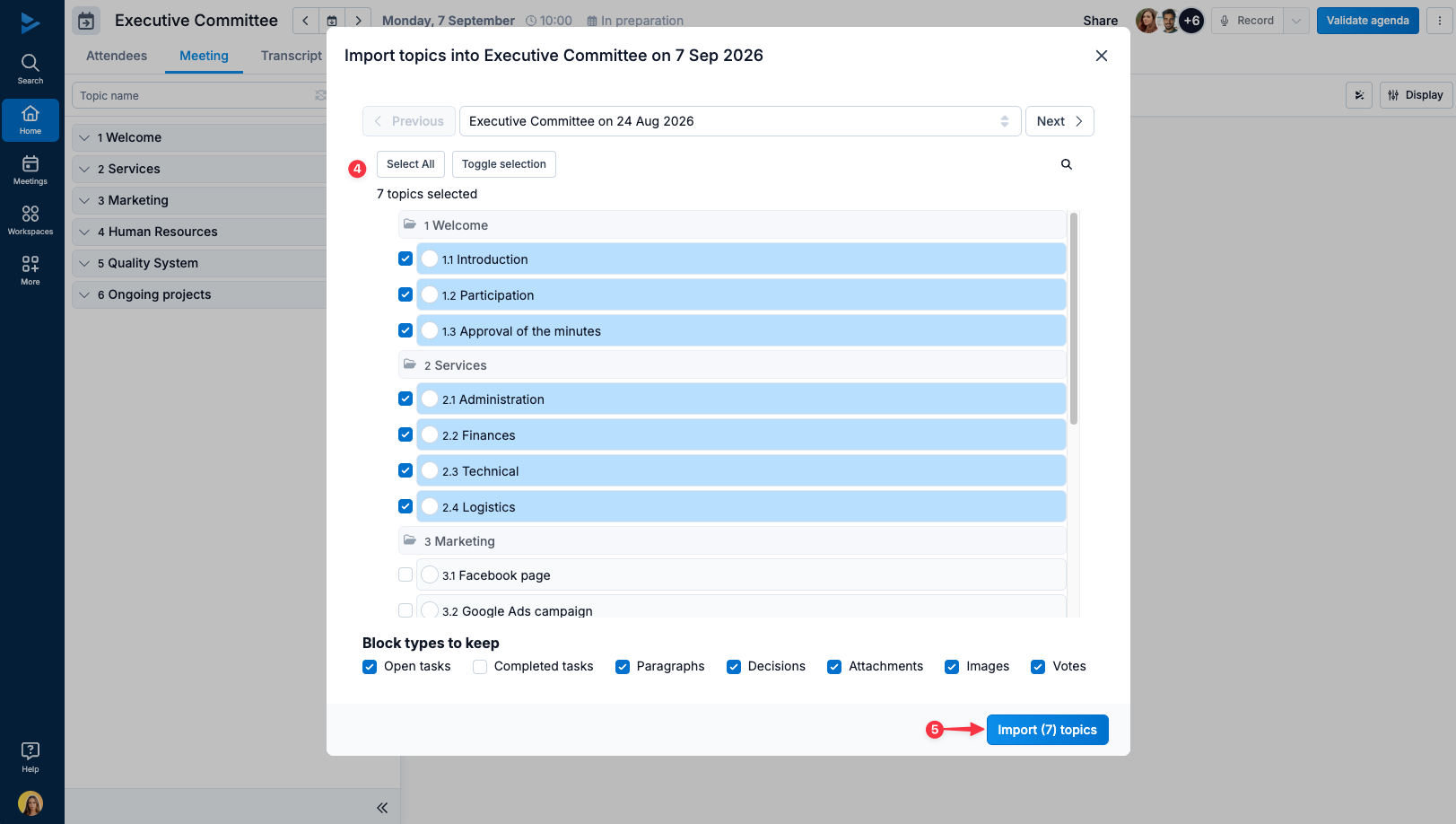
A window opens, in which you can select the topics you wish to import (you might select all or some of the topics in the meeting)
Click on Import topics
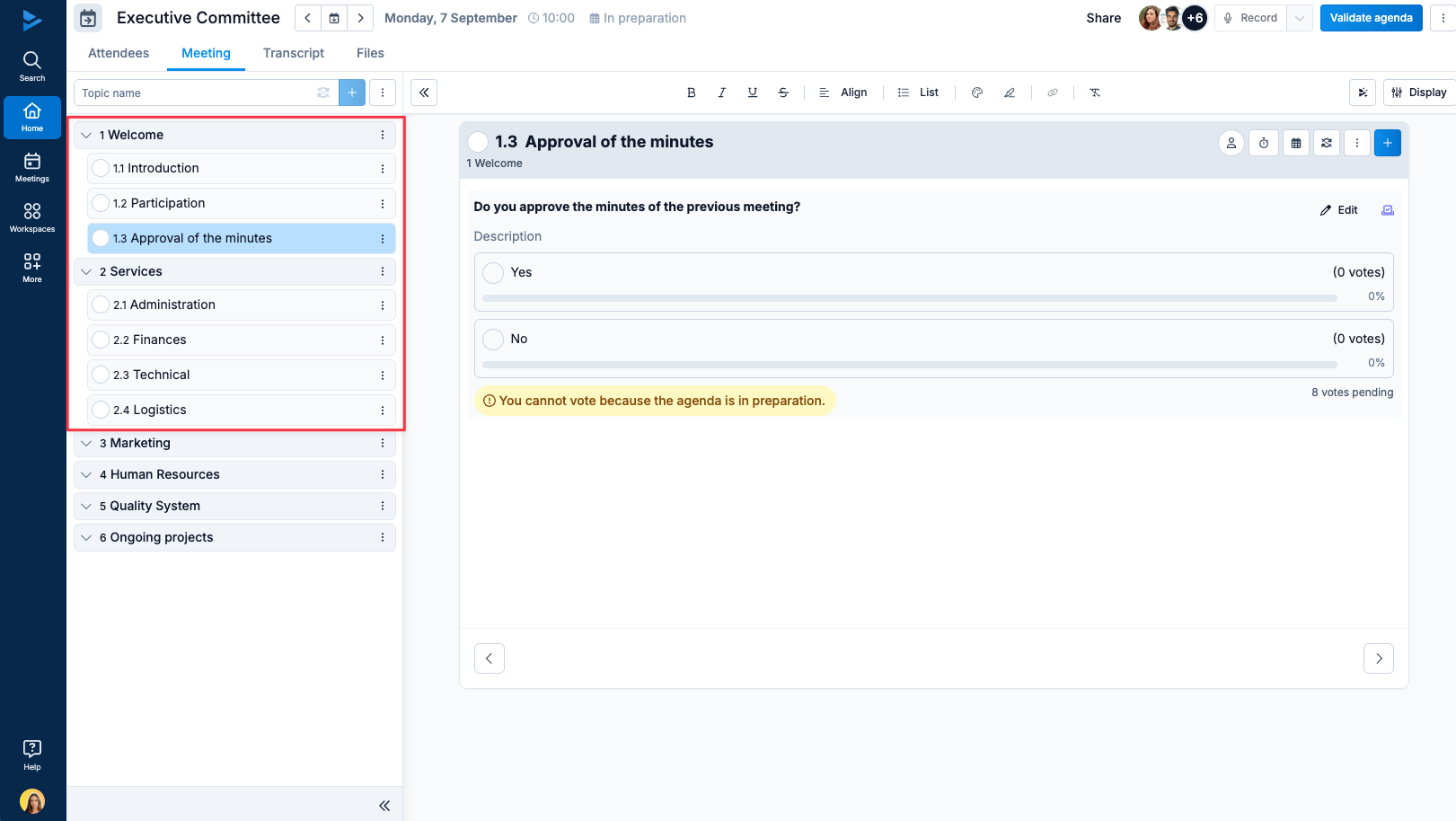
As you can see, the topics from previous agenda have been imported:
What's next?
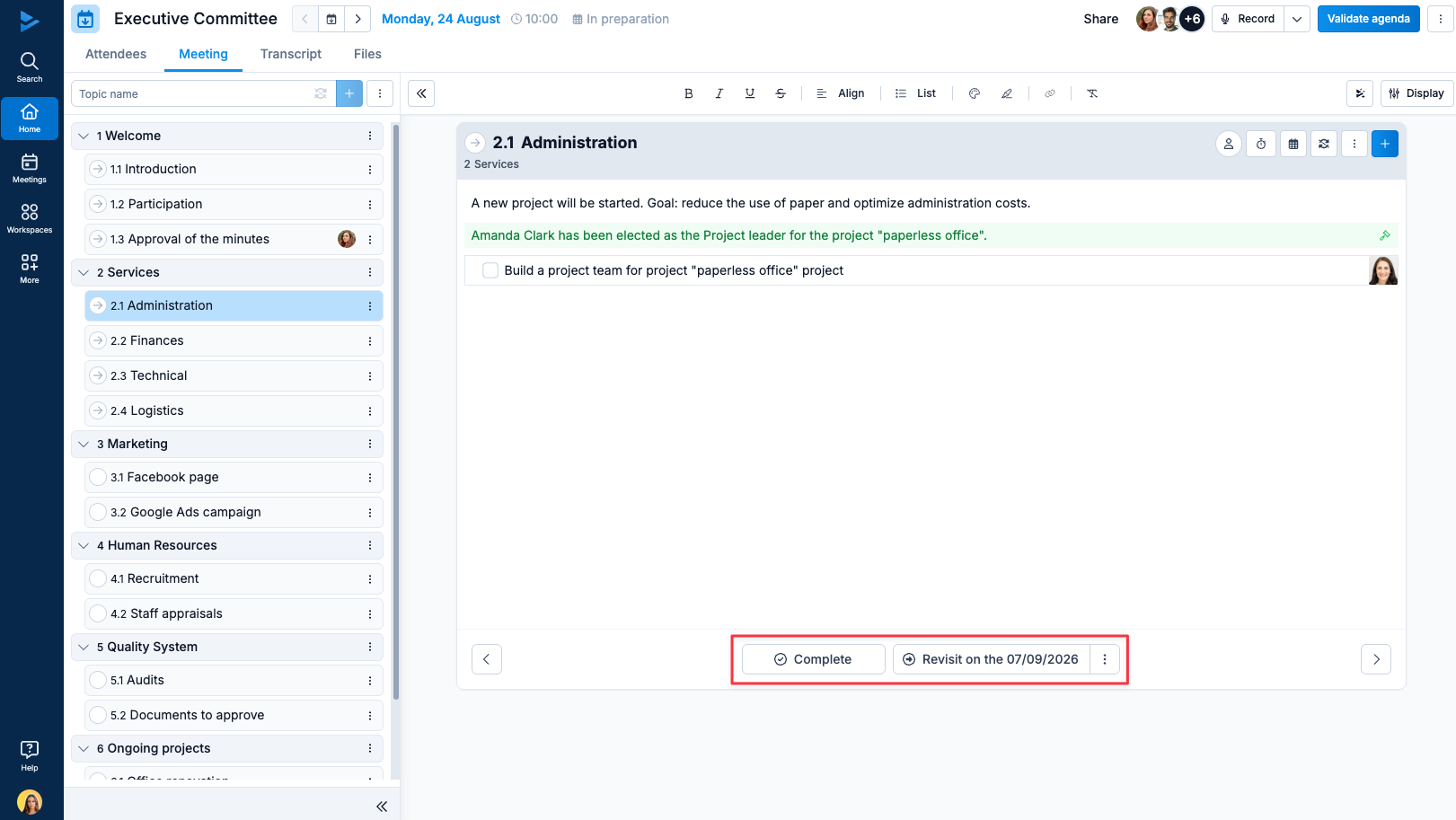
Of course, in every meeting, you can choose whether you want to revisit each topic or not using the buttons provided:
Our support team will be happy to answer any questions you may have.
