You can ask to join teams of which you are not a member. In order to do so :
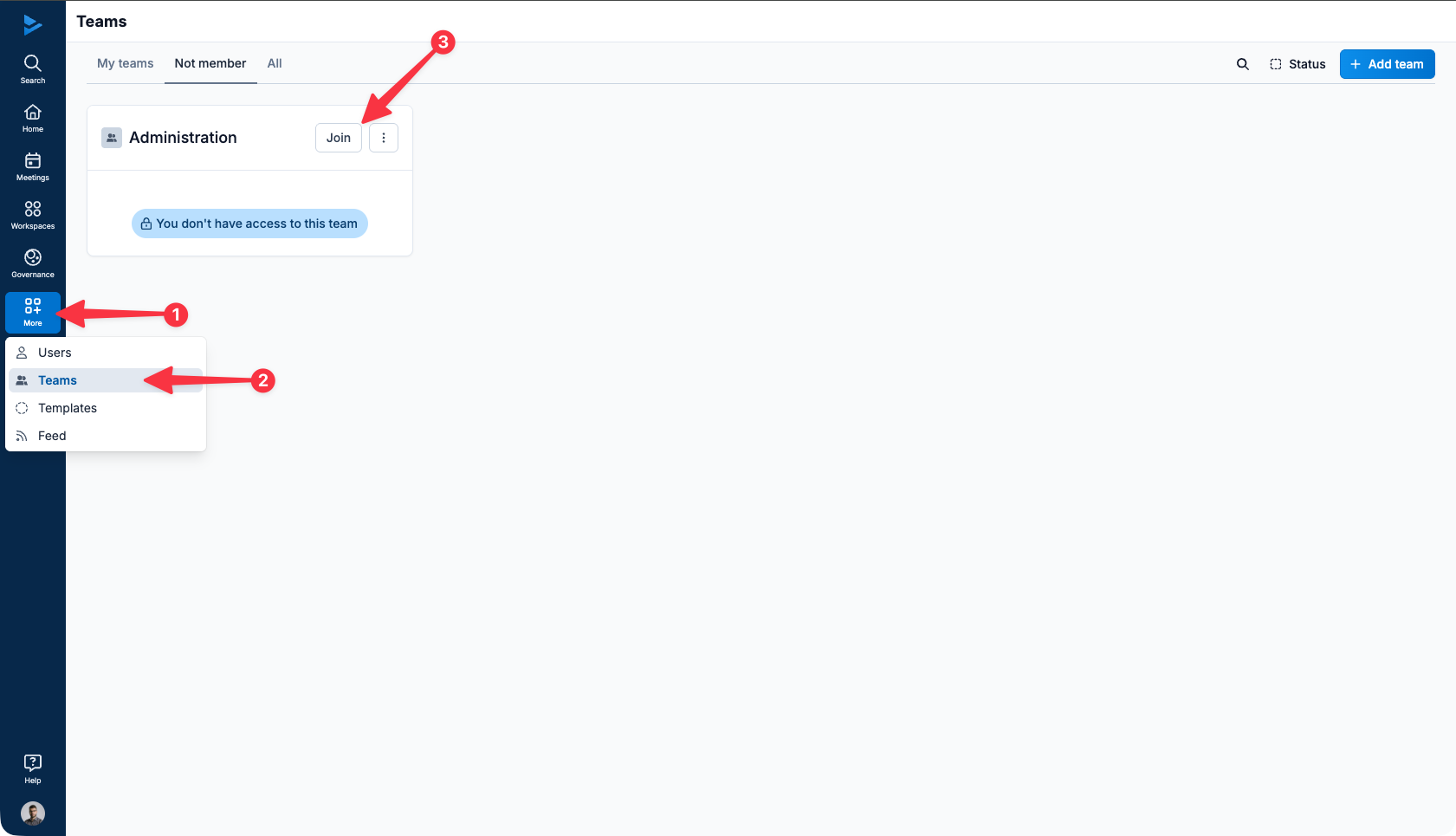
Click on Browse organization in your main menu
Click on Teams in the drop-down menu and then click on the Non-member filter
Locate the team you want to join and click on Join.
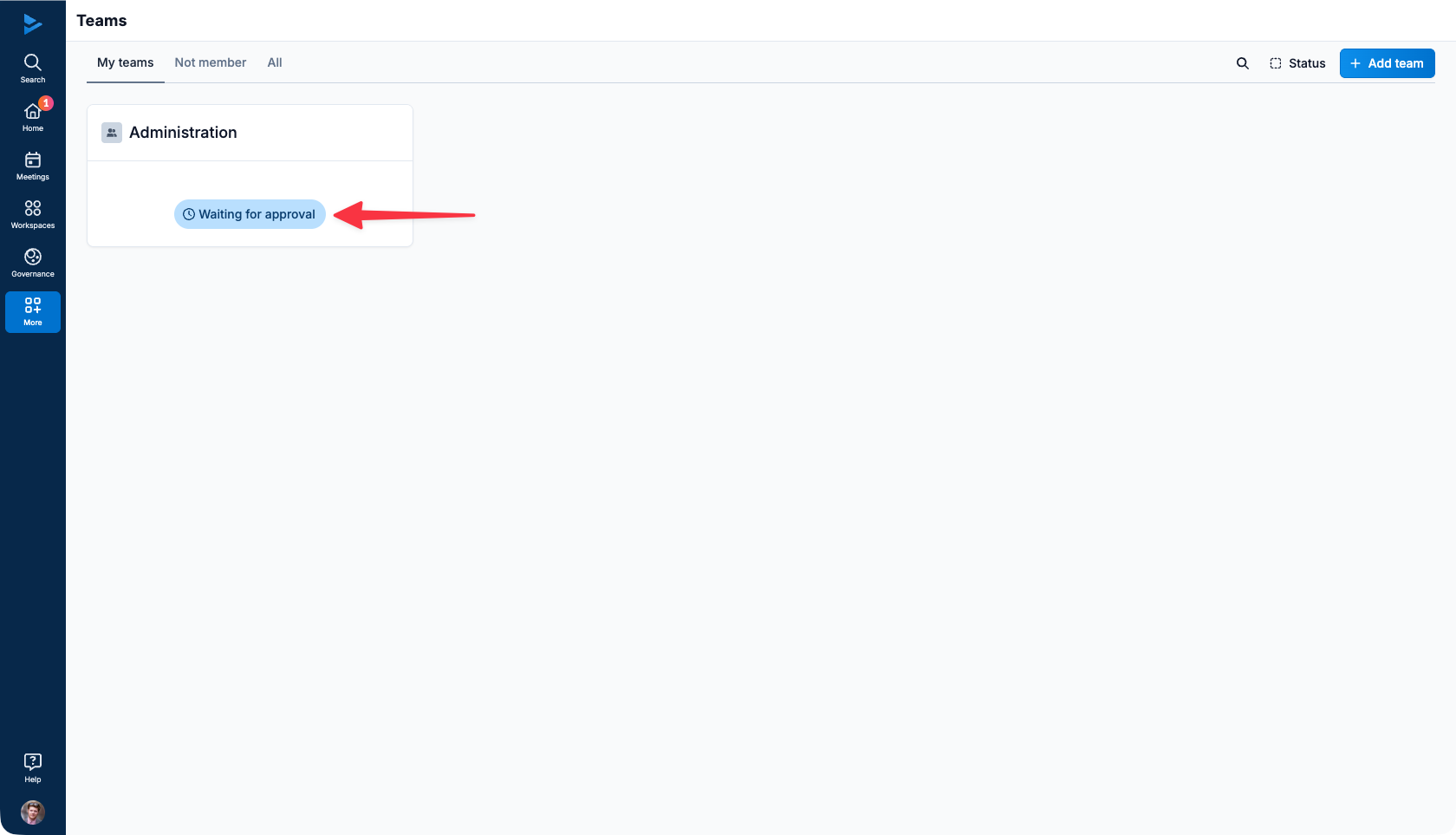
You must then wait for the approval of one of the team's moderators in order to access the team's workspaces and checklist templates.
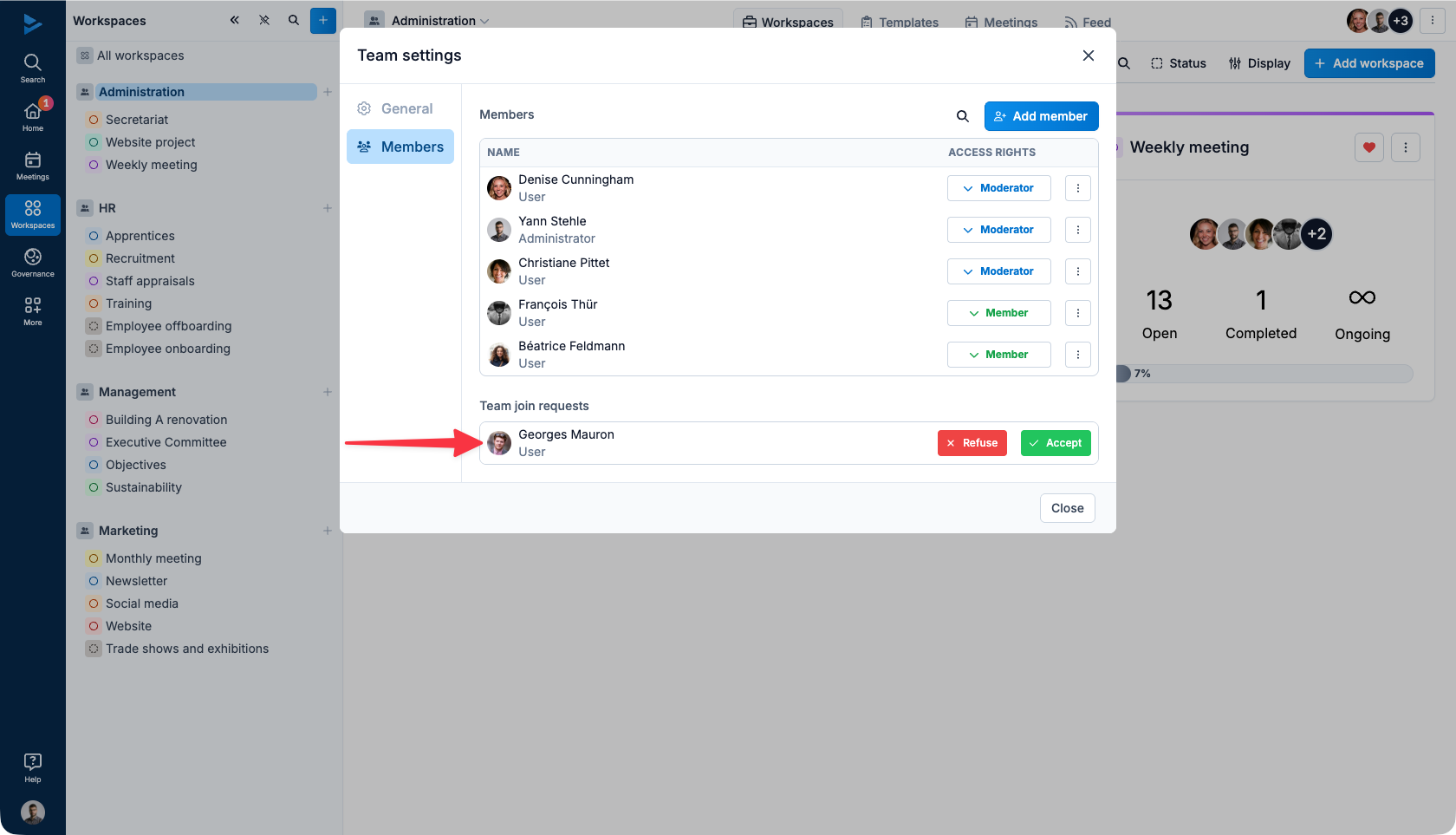
The Moderator will be notified and can then Accept or Refuse the join request: