
Create a team
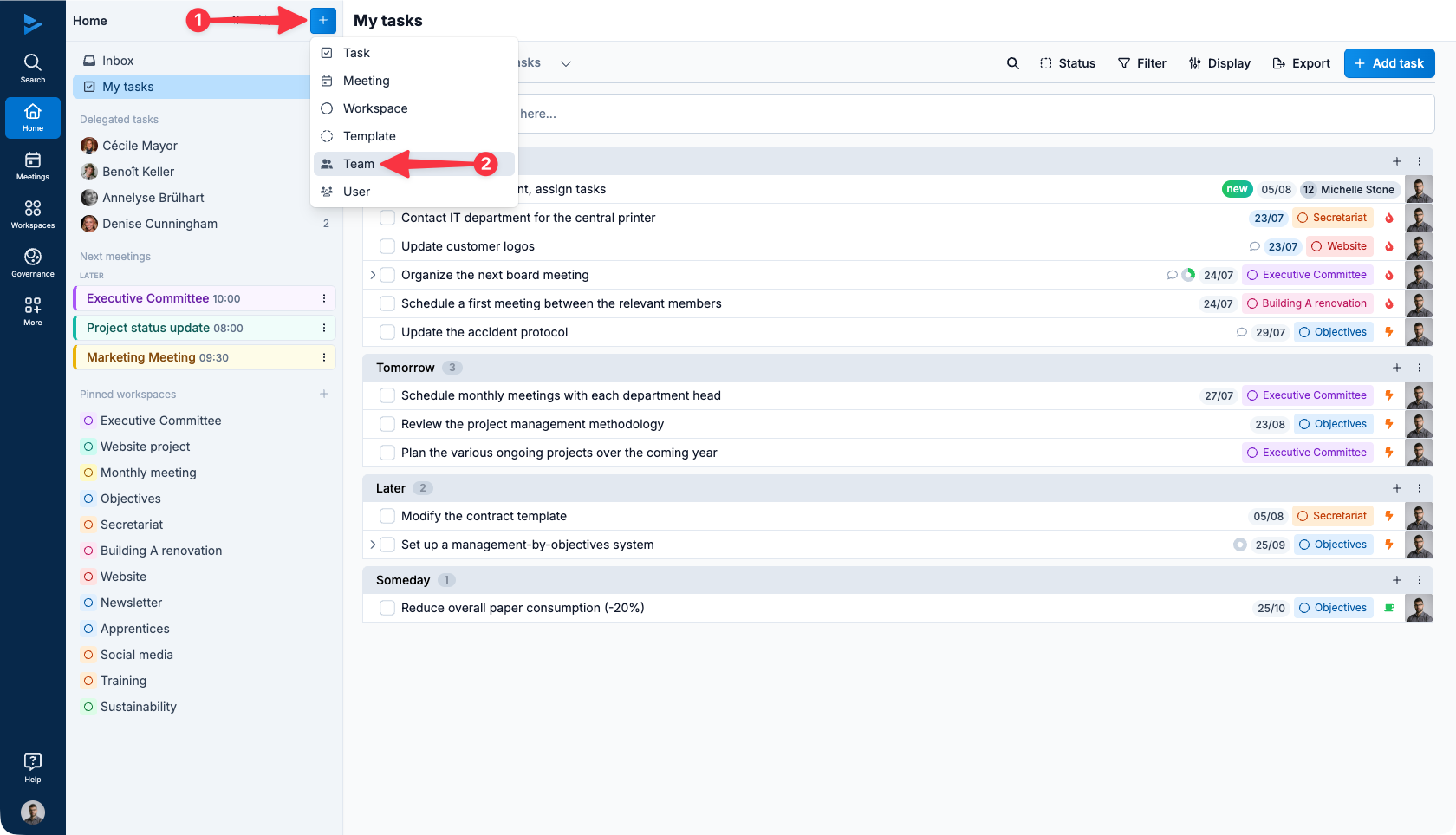
All users can create a team. To create a team, click on the + button at the top right of the screen (1) and then on Team (2).
Name of the team
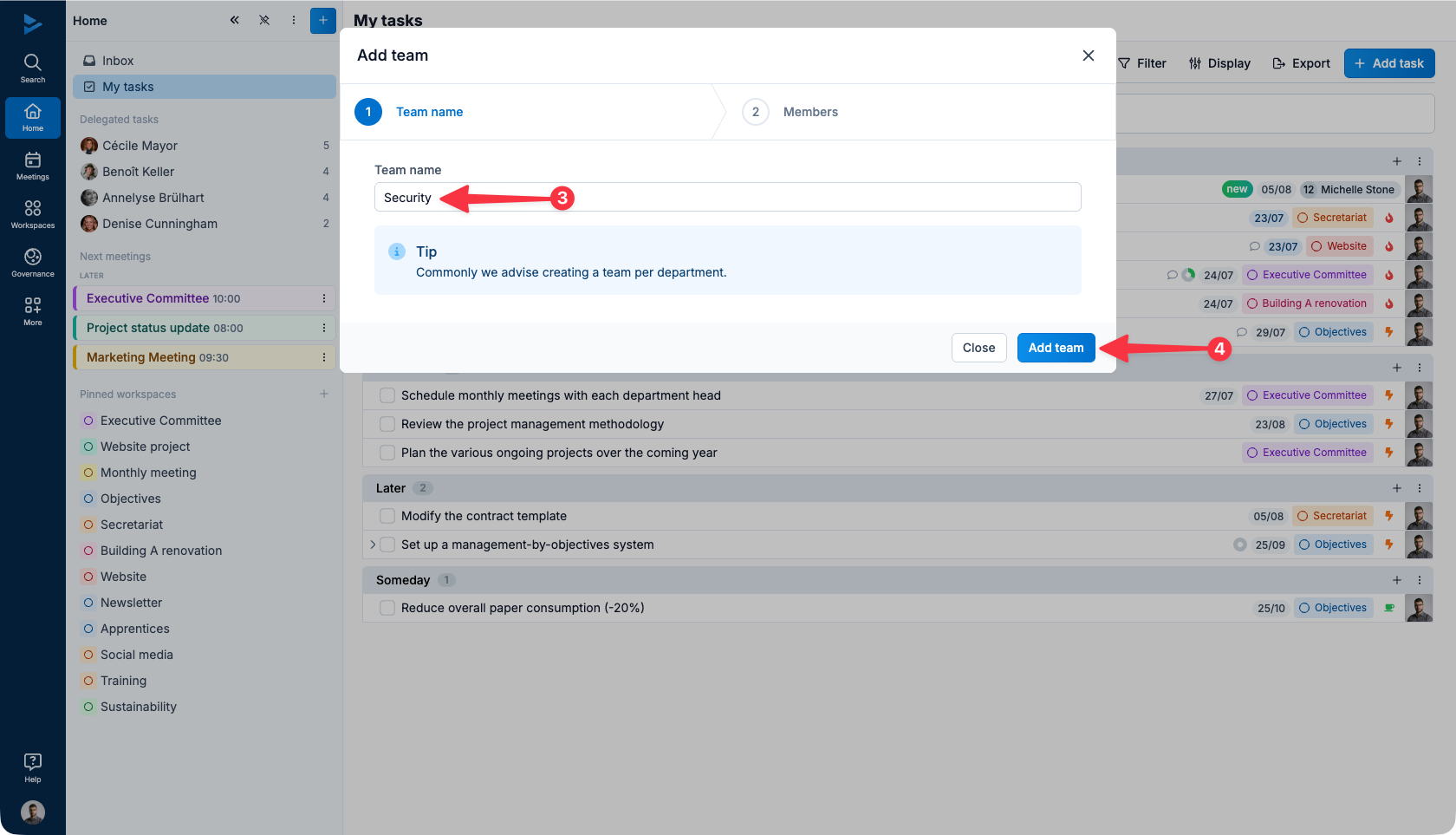
A window will open: enter the name of the team in the field provided (1) then click on Save (2).
Team Members
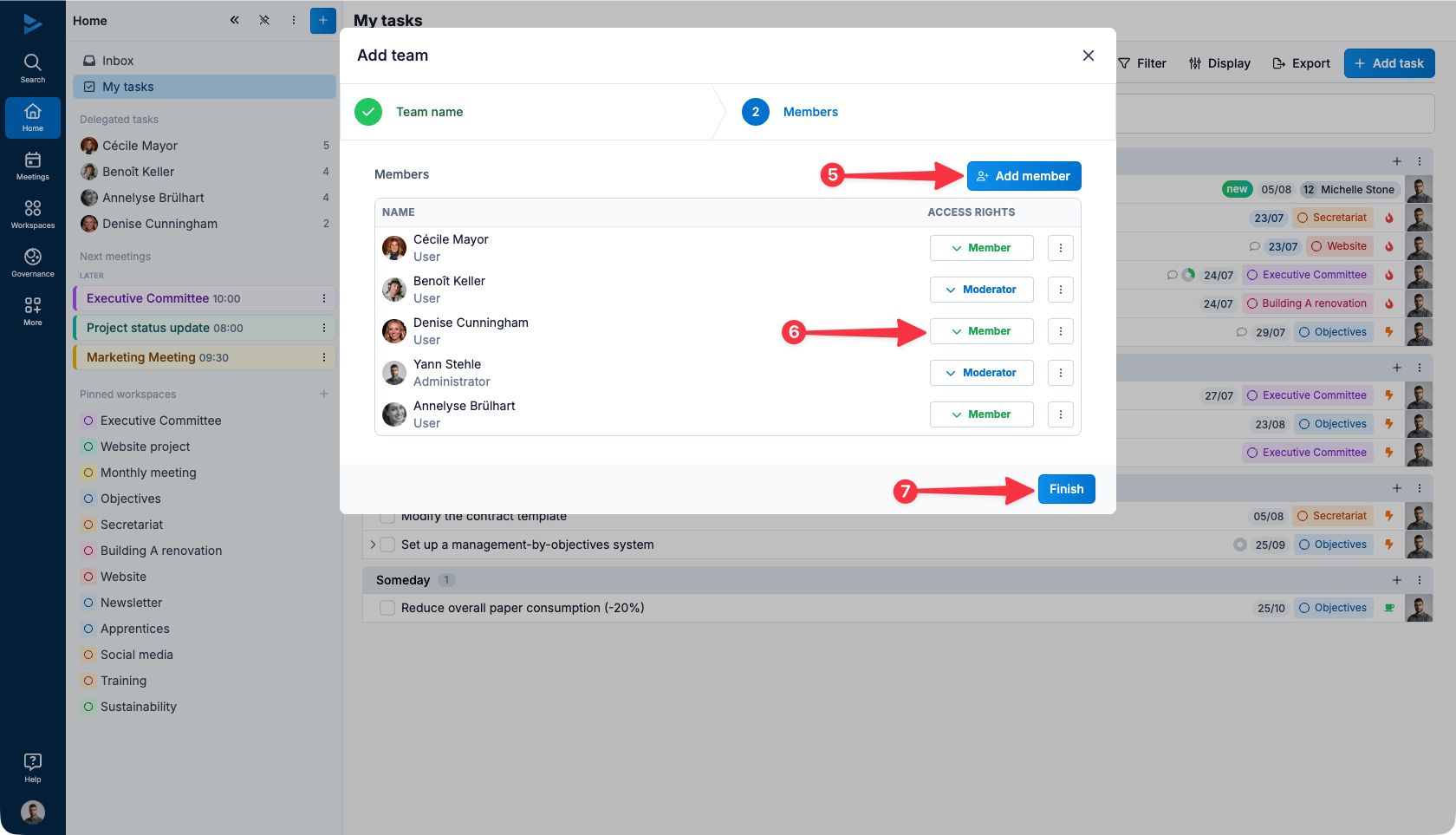
Click the Add Member button (1) to select the appropriate users.
Team moderators
The team moderators are the persons authorized to configure the team's parameters. They will be able to :
modify the team name ;
manage the team members;
delete the team.
By default, the creator of the team and the network administrators among the members become moderators. However, it is possible to appoint another user for the same role. To do so, click on the appropriate checkbox (2).
Click Finish when the list is composed (3).
For more information about team management, please see the following article: team management.
