
File classification gives every file in your network a confidentiality level. A file can only be opened by users whose clearance is equal to or higher than its level, on top of the usual workspace access rights.
This feature is part of the Compliance management add-on, and an administrator must turn it on.
The 4 classification levels
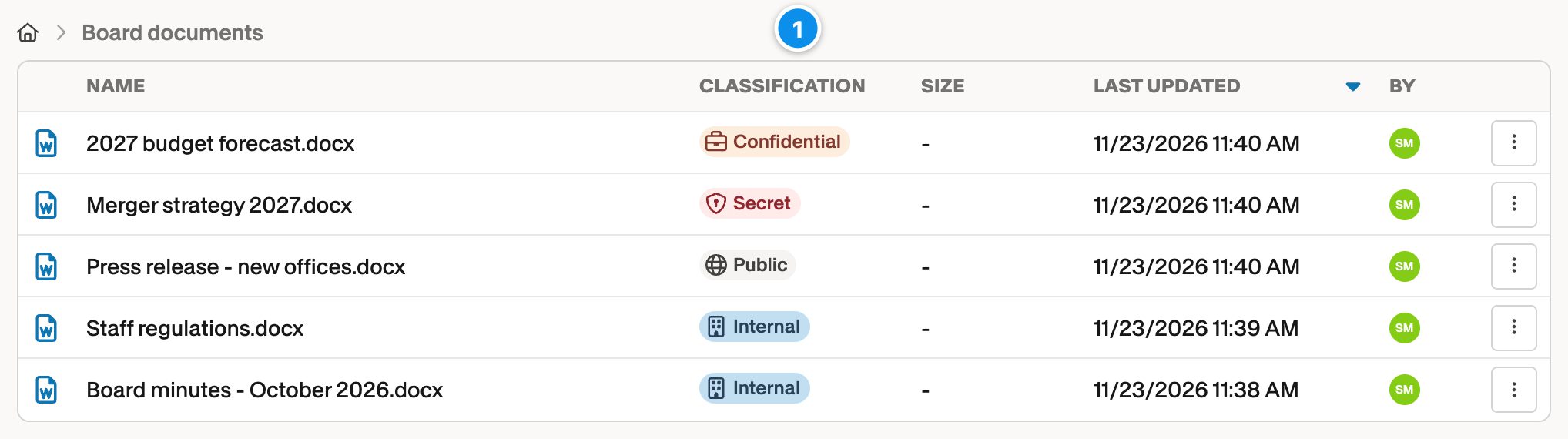
Public: accessible to all members, including external users, with no classification protection.
Internal: accessible to members with an Internal clearance or higher.
Confidential: accessible to members with a Confidential clearance or higher.
Secret: accessible only to members with a Secret clearance.
A file's level shows in the Classification column (1) of the Files tab and in the file's details pane.
Links added as files are never classified: they are always treated as Public.
Clearances
Every user has a clearance that decides which files they can open. By default, it depends on the type of user:
External users: Public, which cannot be changed
Users and Light users: Internal
Administrators: Secret
Administrators see each user's clearance in the Clearance column (1) of the Users page of the organization settings, and can change it there.

Changing a user's type resets their clearance to the default of the new type.
What happens to a file above my clearance?
The file stays visible in the list, with its name and level, but its content is protected:
it cannot be previewed or downloaded;
it is left out of bulk downloads and meeting exports;
global search still finds it by its name, but not by its content, and does not show where it is stored;
WEDO AI cannot read it for you.
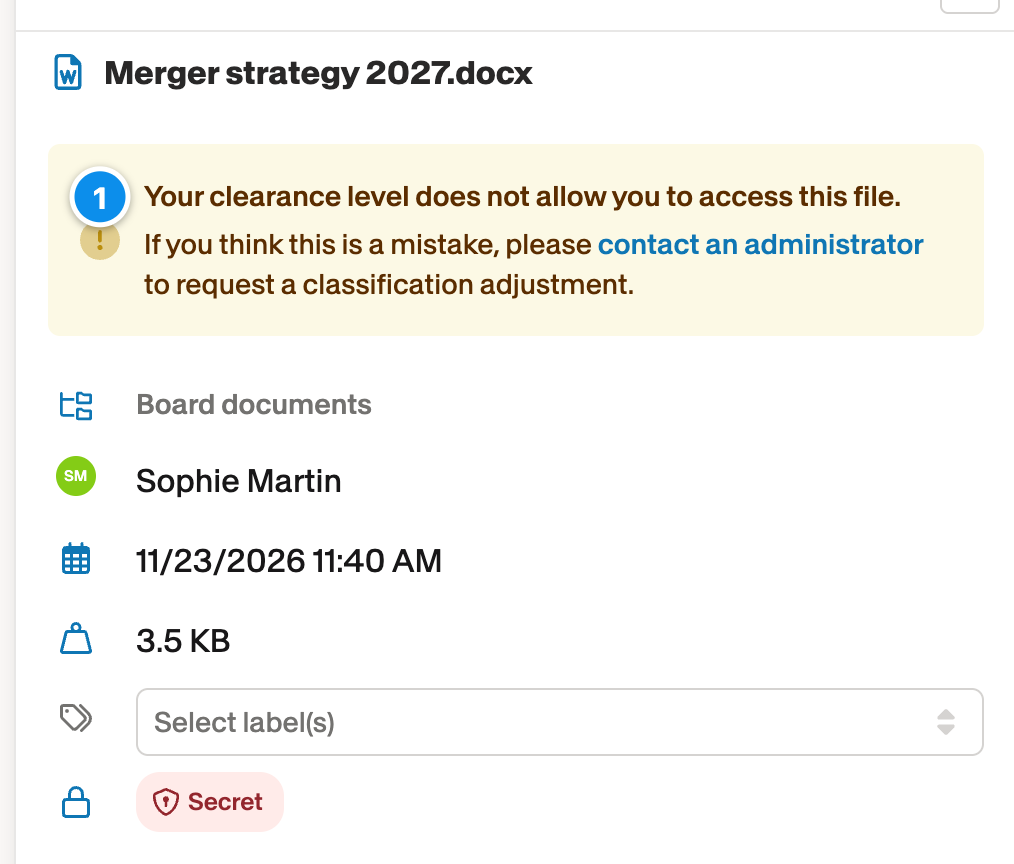
In the details pane, a message (1) tells you that your clearance level does not allow you to access the file. If you think this is a mistake, click contact an administrator in that message to see the administrators you can write to.
Which level does a new file get?
A file added to WEDO (upload, attachment of an email to task, meeting export) gets your organization's default classification, set by an administrator. If that level is above your own clearance, the file gets your clearance instead: a file added by an external user is always Public. You can then change its level, up to your own clearance.
ℹ️ Classification applies to each version of a file. Replace file gives the new version the default classification again, while restoring an older version brings back that version's level.
