
The Home tab is your entry point to WEDO. Thanks to its floating menu, it centralizes your essential information and daily work tools to give you quick access to what matters most to you.
As soon as you land on the home page, you will get a direct overview of your activity:
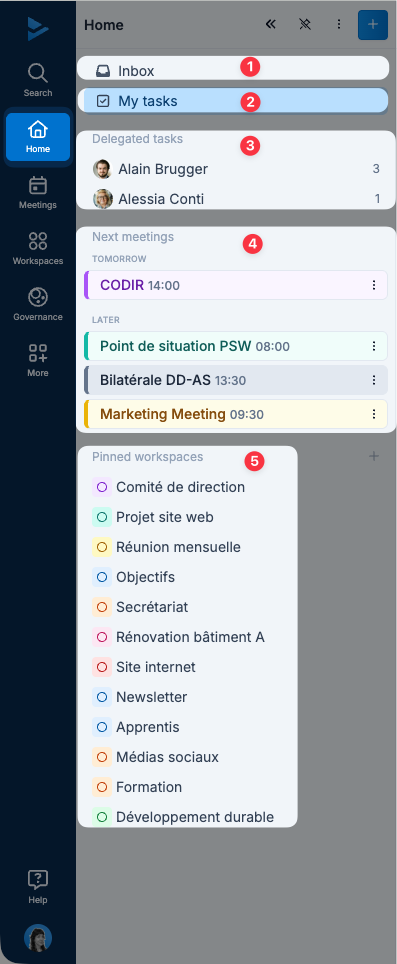
📥 Inbox: gathers all notifications relevant to you (mentions, updates, comments, etc.)
✅ My tasks: your personal space containing all tasks assigned to you or created by you
👥 Frequent collaborators: a list of the people you interact with most often, automatically determined by task delegation.
📅 Upcoming meetings: your scheduled meetings, whether you are attending or organizing them
📁 Workspaces: the spaces you collaborate in most regularly
